

November 25, 2026
Bringing Freddi Fish to my daughter's iPad
My daughter is three and gets to play on the iPad from time to time. Finding games for her was more frustrating than I expected. So many come with ads, in-app purchases, or both. I just wanted to hand her a game without worrying about what she might accidentally tap.
Then I remembered Freddi Fish.
I grew up playing Freddi Fish, Putt-Putt and Spy Fox on the family desktop PC in the '90s. They were little adventures from Humongous Entertainment, with puzzles to solve and things to click on just to see what would happen. Cartoons you could play, all in Dutch.
That desktop PC is long gone. But we have an iPad, and I wanted to see if I could get those games onto it.
A new home for an old game
I found ScummVM, a free, open-source app that runs classic adventure games on modern devices. It replaces the original game engine while using the game's artwork, voices and puzzles. You supply the game files, and it runs them without needing Windows.
It's available on the App Store for iPad, and ScummVM lists the first Freddi Fish game as having excellent compatibility. There's a full compatibility list if you're looking for another childhood favourite.
Finding Freddi in Dutch
I found Freddi Fish en het Verhaal van de Verdwenen Zeewierzaadjes on Internet Archive, under the name Transposia. I downloaded freddi1995.zip, which contains a disc image with both the Dutch and English versions.
I prepared the files on my Mac. Opening the old CD image took a bit of work, but after that I only had to copy a folder to the iPad.
Opening the CD image
I started by extracting the ZIP in Terminal:
mkdir -p ~/Downloads/freddi1995
cd ~/Downloads/freddi1995
unzip ../freddi1995.zip
Inside were two files, freddi1995.bin and freddi1995.cue. The BIN holds the disc's contents, and the CUE describes its layout. I needed to open the image to get at the game files.
I used bchunk to convert the pair into an ISO, a disc image that macOS can open. With Homebrew already installed:
brew install bchunk
bchunk freddi1995.bin freddi1995.cue freddi1995-
This produced freddi1995-01.iso, which I opened in Finder. The disc appeared as Untitled.
One letter makes all the difference
The disc has two folders with almost identical names. FREDDID contains the Dutch version, and FREDDIE contains the English one.
I made a folder called Freddi Fish Nederlands and copied the five .HE files from FREDDID into it:
freddi1995-01.iso
├── FREDDID/             ← Dutch version
│   ├── FREDDID.HE0      ← Copy these five files
│   ├── FREDDID.HE1
│   ├── FREDDID.HE2
│   ├── FREDDID.HE3
│   ├── FREDDID.HE4
│   └── …
└── FREDDIE/             ← English version
└── …Moving it to the iPad
I installed ScummVM on the iPad, then put the Freddi Fish Nederlands folder in iCloud Drive on my Mac. Once it synced, I opened the iPad's Files app, called Bestanden in Dutch. From there, I copied the whole folder into On My iPad → ScummVM.
ScummVM's cloud settings don't support iCloud Drive, so the files need to be copied onto the iPad through Files. The ScummVM iOS documentation covers this and other transfer methods.
Then, in ScummVM:
- Tap Add Game.
- Browse to
Freddi Fish Nederlandsand select the folder. - Confirm the detected game.
- Select it in the list and tap Start.
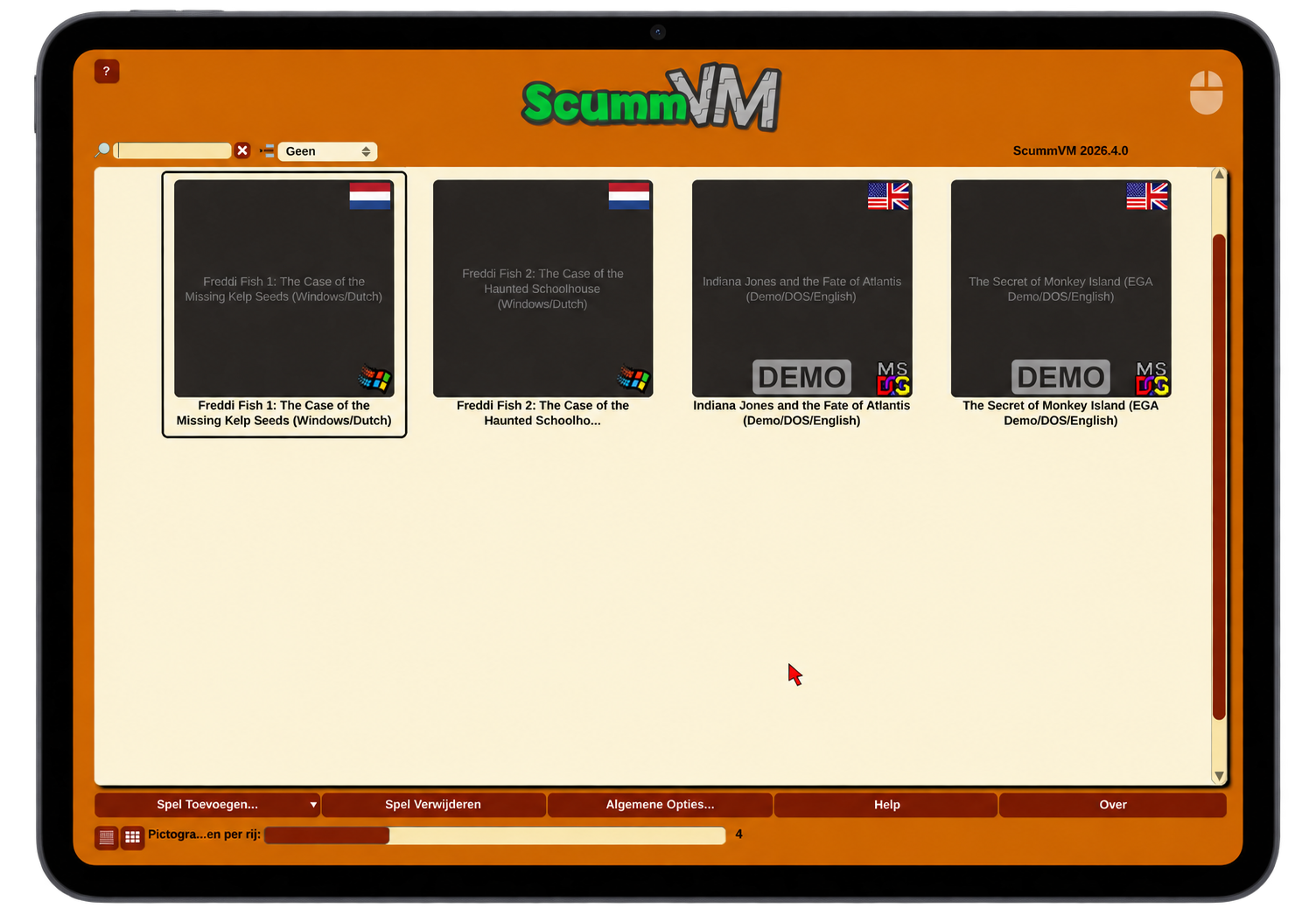
If dragging your finger moves the cursor like a laptop trackpad, tap the mouse icon at the top right to switch to direct touch mode. You can then tap directly on things in the game. The iOS controls guide explains both modes.
And there it was. Freddi Fish, on the iPad, speaking Dutch. 🎉
It took a few Terminal commands to get there, but now I can share an old favourite with my daughter. No ads or in-app purchases to worry about.